
Legal Digital
Website, client portal and management dashboard under your firm’s brand. Ready within 24 hours.
What eats up the firm’s time
“How is my case going?”
The question arrives on WhatsApp, at any hour, from many clients.
Scattered documents
Across email, WhatsApp and USB drives, with no idea which version is right.
A stale website, or none
People looking for the firm can’t find up-to-date information.
Everything in different places
Calendar in one place, clients in another, cases in a third system.
Built for the routine of practicing law
Solo lawyer
A website under your brand and an organized channel to receive and deliver documents.
Small firm
From 2 to 10 people, with clients, cases and calendar in one place.
Growing firm
Clients see progress in the portal, and the team gains time to practice law.
Legal professionals
Correspondents, consultants, experts and mediators with a sober presence and documents in order.
The partner or lead lawyer decides; the team uses it every day; the firm’s client feels the value.
Three connected environments, with your firm’s identity
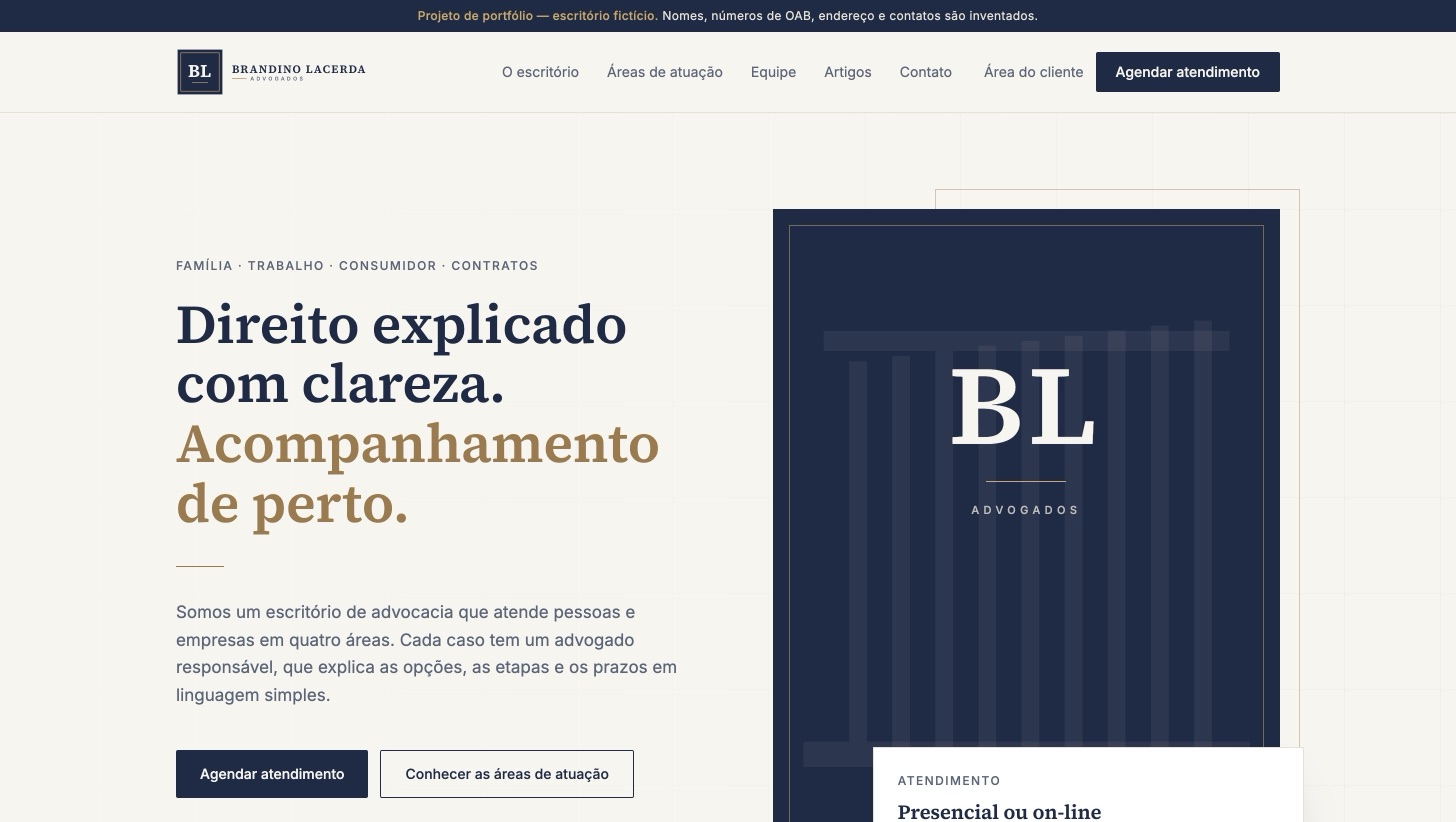
Firm website
Presents the firm, the team and the practice areas, and receives consultation requests.
Client portal
Clients follow their case, upload and download documents and talk to the firm.
Team dashboard
Clients, cases, documents, calendar and the website’s content in one place.
All on the firm’s domain, with its own logo, colors and copy.
From first contact to a well-informed client
- 1Contact from the websiteSomeone fills in the consultation form.
- 2Becomes a clientThe team turns the contact into a client in the dashboard.
- 3Case openedThe lawyer records updates and documents.
- 4Client portalThe client sees what the lawyer has released.
- 5Email noticeNew document or reply? The client is notified.
All three environments share the same data: nothing is typed twice.
Each environment, screen by screen
A sober, fast website, ready for Google
- The firm, the team with each lawyer’s profile and Bar number, practice areas, articles and contact.
- Consultation form with LGPD consent and bot protection.
- Scores of 96 to 98 for performance and 100 for accessibility on Google Lighthouse, on mobile.
- Already follows the OAB Code of Ethics and Provimento 205/2021.
One page for each practice area
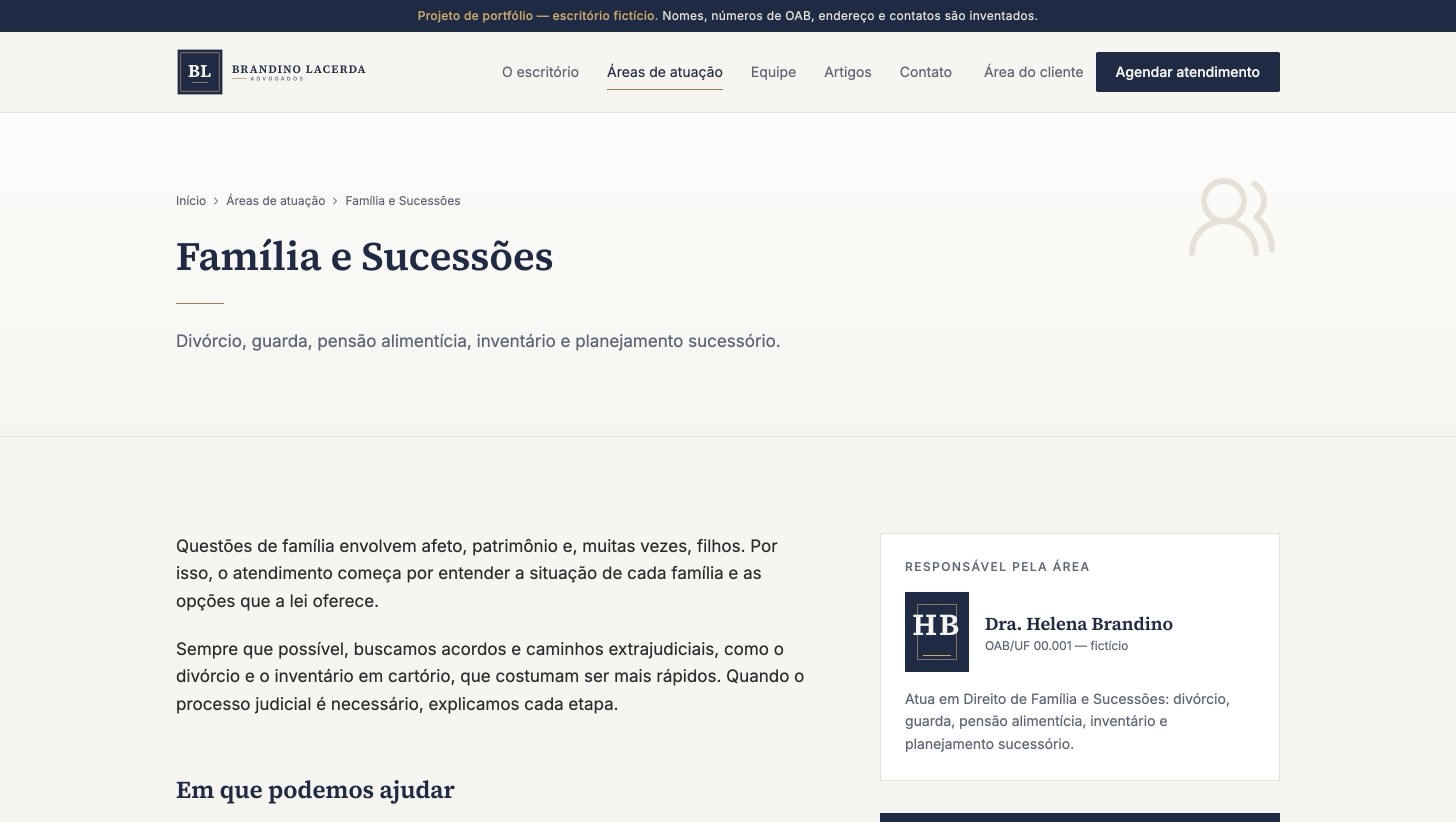
- Informative copy, “How we can help” topics and frequently asked questions.
- The lawyer in charge of the area, with their Bar registration.
- The consultation button opens the form with the area already selected.
- Blog articles linked to the area, for those who want to read up first.
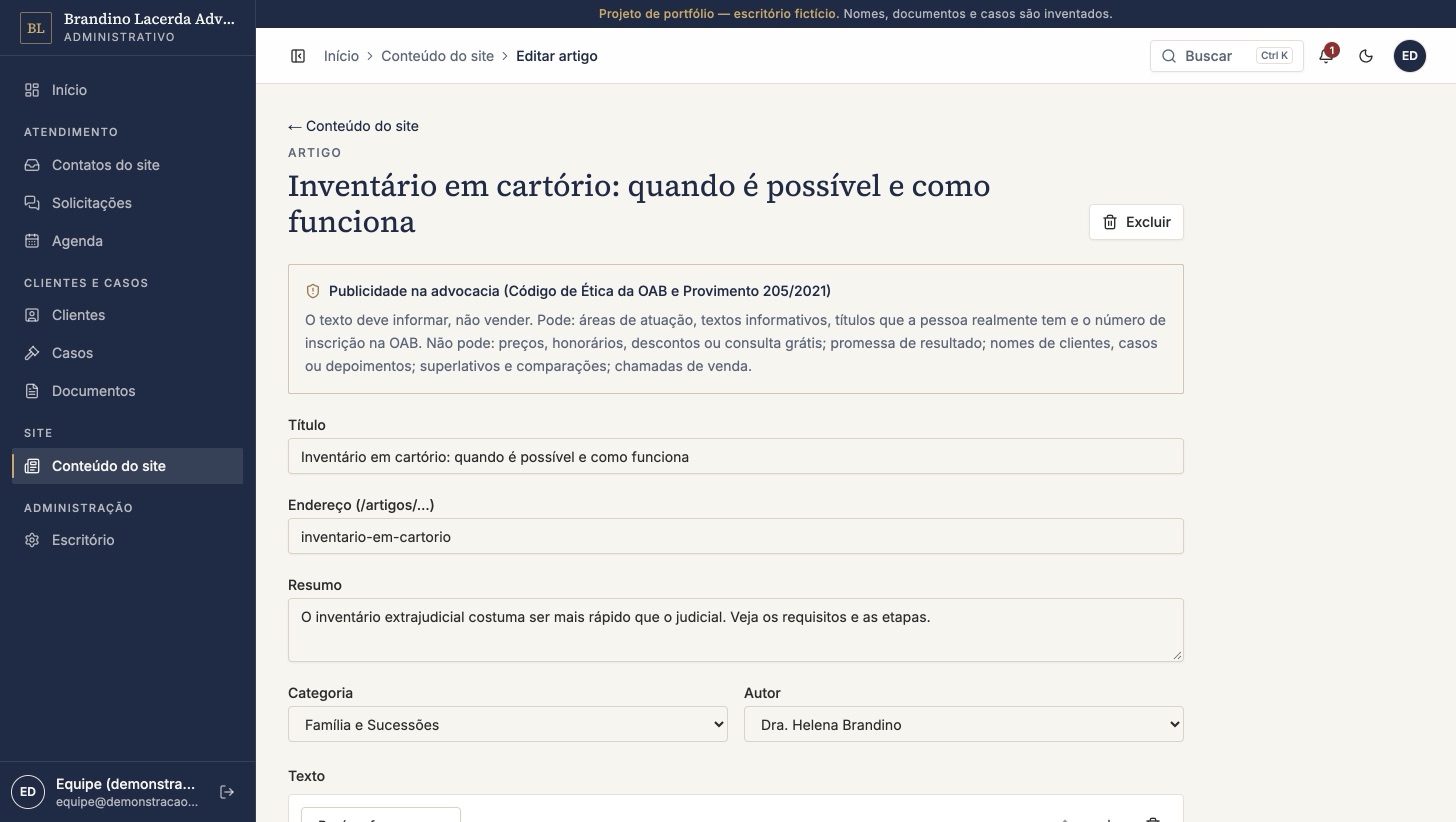
The firm updates its own website
- Pages, areas, team and articles edited in blocks, no developer needed.
- Publish right away or schedule an article for a date.
- A reminder of the OAB rules on every edit.
- The website changes instantly, without waiting on anyone.
Clients follow their case without calling
- Email invitation; the client sets their own password.
- A timeline with the updates the lawyer chooses to show.
- Secure document upload and download, no WhatsApp attachments.
- Email notice when there’s a new document or reply.
Organized conversations, away from WhatsApp
- The client opens a request: a question, sending documents, asking for a meeting or another topic.
- Each conversation has a status and an owner: open, in progress, waiting on the client or closed.
- Attachments inside the conversation, stored with the client’s documents.
- Email notice when the firm replies.
The whole firm in one dashboard
- New website contacts, open requests, this week’s appointments and documents received.
- A website contact becomes a client in one click.
- Individual and corporate clients, cases, documents and requests in one place.
- Website editor: pages, areas, team and articles, no developer needed.
You decide what the client sees
- Each update is marked as visible to the client or internal.
- Internal case notes never show up in the portal.
- “Email the client” is optional, update by update.
- Case number in the CNJ format, area, status and lawyer in charge.
A website built within the Brazilian Bar (OAB) rules from day one
- The firm’s and lawyers’ names, with their Bar registration
- Address, phone, email and opening hours
- Practice areas with informative copy
- The lawyer’s academic titles and languages
- Legal articles and news on the blog
- Prices, fees, discounts or “free consultation”
- Promises or guarantees of results
- Client names, cases handled or testimonials
- Superlatives and comparisons (“the best”, “leader in”)
- Sales calls (“hire now”, “don’t miss out”)
Based on the OAB Code of Ethics and Discipline and Provimento 205/2021. Final copy should be checked with the firm’s state Bar section.
Every document in the right place
- Linked to client and case
- Easy to find, and the history is never lost.
- You choose who sees it
- Internal to the team or available in the client portal.
- Clients upload too
- Through the portal, no WhatsApp or email attachments.
- Logged downloads
- Temporary links, and every download goes into the audit log.
PDF, Word, Excel, JPG, PNG, WebP and TXT · up to 25 MB per file
A calendar that talks to Google
- Day, week and month
- In-person, online or phone appointments, for the whole team or one lawyer.
- In each lawyer’s Google Calendar
- Each person connects their own account. Creating, changing or canceling here is reflected there.
- Automatic Meet link
- Online appointments come with the meeting link, which the client sees in the portal.
- No double booking
- Events booked directly in Google show up as busy in the dashboard.
The calendar works without Google too; connecting is optional and individual for each team member.
Everyone sees what they need
| Role | What they can do |
|---|---|
| Administrator | Everything, including users and permissions, firm settings and the audit log. |
| Lawyer | Clients, cases and updates, documents, requests, calendar, website contacts and website content. |
| Assistant | Clients, documents, requests, calendar and website contacts. Can view cases without changing them. |
| Client | Only the portal, and only their own cases, documents and requests. |
The administrator can adjust each role’s permissions. Without permission, the menu is hidden and the action is blocked.
We connect to the software the firm already uses
The firm keeps the tool it likes, and the client starts seeing the information in the portal, under the firm’s brand.
Initial import
Clients, cases and contacts brought over from the current system, via spreadsheet or export.
Sync
Cases and updates from your system show up in the portal, refreshed periodically.
Both ways
What starts in Legal Digital also flows back to your system, with tailored rules.
- Technical review of your system
- Setup quoted separately
- Ongoing maintenance on the Integrated plan
24 hours for the firm to be online
Website, client portal and dashboard on the firm’s domain, with its own logo, colors and details. Each firm is created automatically from a ready, tested base.
The clock starts once the logo, copy and domain access arrive. Integrations with external systems are not part of this window.
What the firm sends to get started
- The firm’s logo and colors
- Lawyers: name, Bar registration, role and areas
- Copy about the firm and each practice area
- Contact details: address, phone, email and hours
- Domain: access to the current one, or we register a new one
- Team: emails of the people who will use the dashboard
No copy ready? The website starts with informative template texts, within the OAB rules, for the firm to review.
Professional secrecy, online too
Application, server and database kept apart from other firms.
Private storage, released only through temporary links.
Optional two-factor sign-in for the team and lockout after failed attempts.
Who accessed, changed or downloaded what, and when.
A copy of the database every day.
Recorded consent, plus export and deletion of a client’s data.
You run the firm; we handle the technology
Website, portal and dashboard online, with a security certificate (HTTPS).
Registered at sign-up; yearly renewal of R$ 150.
A copy of the database every day, stored off the server.
Invitations, client notices and password resets.
Updates and improvements at no extra cost.
Direct help over WhatsApp and email.
From the first conversation to the firm online
Conversation
A 30-minute demo and the firm’s needs.
Your details
Logo, colors, copy, lawyers with Bar numbers and practice areas.
Delivery
Within 24 hours, website, portal and dashboard online on your domain.
Training
The team learns the ropes and invites the first clients to the portal.
If the firm wants an integration with an external system, it starts after delivery, with the technical review.
Plans for every firm size
Solo lawyer
R$ 149 per month
Website, client portal and dashboard, for up to 2 team users.
Team of up to 10
R$ 197 per month
Everything in Essential, plus Google Calendar integration and role-based access.
Connected to your system
R$ 399 per month
Everything in Firm, connected to the legal software you already use. Integration setup quoted separately.
- First month free for setup and use
- Own domain included (R$ 150 yearly renewal)
Hosting, storage, maintenance and support included in every plan. Prices in Brazilian reais.
What firms usually ask
I already use legal software.
No need to switch. We connect Legal Digital to it, and clients see the information in the portal under your brand.
Will my clients use it?
The invitation arrives by email, access uses their own password and it works on mobile. Notices arrive by email.
What about document confidentiality?
Its own environment and database, private storage and temporary links, all recorded in the audit log.
What if I want to cancel?
The data belongs to the firm: we export everything. Exporting and deleting a client’s data is already in the dashboard.
Do I need to be tech-savvy?
No. The dashboard was built around a law firm’s routine, and the team gets a quick training.
Really 24 hours?
Yes, from the moment the details and domain access arrive. Integrations have their own timeline.
A complete demo, with a fictitious firm
The demo logins are shown on the sign-in screen itself. Data resets every day. The demo is in Portuguese.
Your firm organized, under your brand, in 24 hours.
Tell me how the firm works today and which software it uses. I reply personally.